
YouTube TV: Live TV & more
Google LLCEntertainment
3.858.68K Reviews
- Version
- Varies With Device
- Installs
- 10.00M
- Age Rating
- Teen
Screenshots
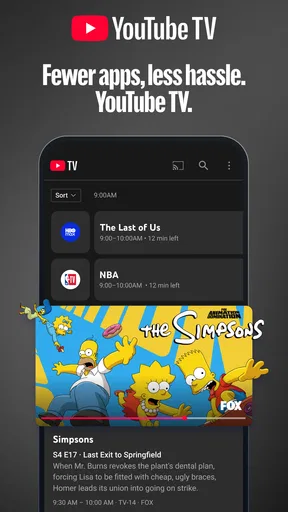
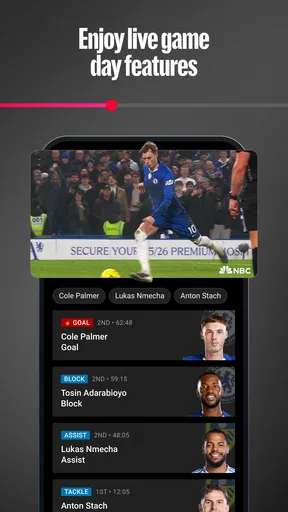
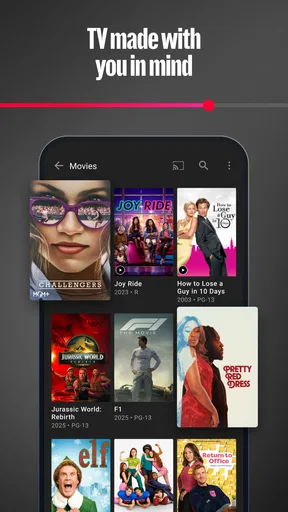
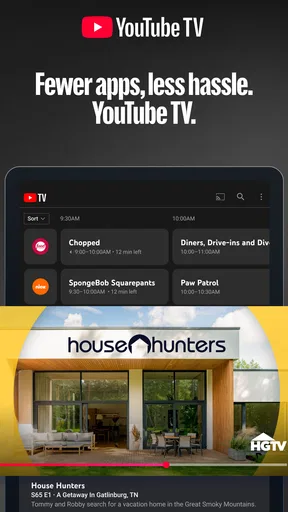
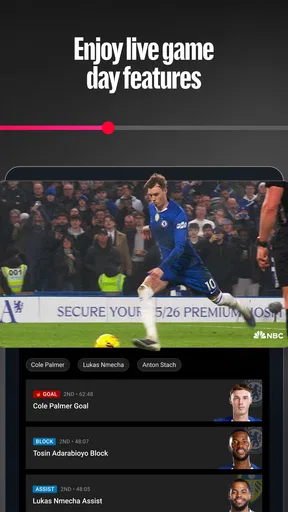
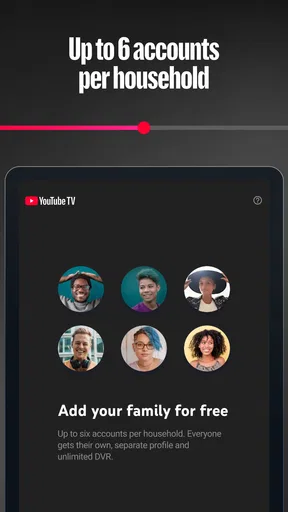
Our Review of YouTube TV: Live TV & more
 Analysis by Appyee
I see YouTube TV as a useful choice for people who still want the rhythm of live television but would rather watch through an app than arrange their evenings around a cable box. Its appeal is not simply that it puts channels on a screen; it brings live viewing and a record-later habit together in one place. That can make it a comfortable fit for a household that follows sports, checks the news, and watches scheduled shows, though it is less compelling if you only want a small amount of on-demand entertainment.
It is an entertainment app from Google LLC, and the main idea is easy to understand: open it when you want to see what is on now, or save a program to catch later. The app is free to install, but the service includes in-app purchases, so I would treat downloading it and paying for access as separate decisions. Its Teen content rating is also worth keeping in mind in a family setting; I would not assume that a shared screen automatically makes every program suitable for every viewer.
Where live TV earns its place
The most convincing use case is a program that matters at a particular time. A live game, a breaking news segment, or a show you want to follow as it airs is different from browsing a library whenever you feel like it. In that situation, having live channels available from a phone or television is genuinely convenient. The service’s pitch is broad, with more than a hundred channels across news, sports, and shows, but the value depends on whether the channels you personally care about are part of the lineup available to you.
I would make that check before building a viewing routine around it. A large channel count can sound reassuring, yet it does not guarantee that every favorite network, local station, or particular program will suit your needs. If you mainly follow one team or rely on a specific local broadcast, confirm that it is available for your location before subscribing. For someone who watches a mix of live programming, variety is more useful than a narrowly focused service; for a single must-have channel, the details matter more than the headline number.
A practical way to use recordings
Recording is most valuable when I use it to solve a scheduling problem, not as a promise to watch everything eventually. If two programs overlap, saving one gives me a straightforward way to choose later. The same approach works for a weekly show I often miss or a live event that starts before I get home. I’d add only the programs I realistically intend to watch, then use the saved list as a short queue instead of letting it become a second, unwieldy catalogue.
That habit also makes it easier to compare the service with an on-demand platform. A subscription library is usually better when I want to search for a finished series and watch it from the beginning at any hour. Live TV is better when I care about what is happening now, or when scheduled broadcasts are part of the appeal. Recordings bridge those habits, but they do not turn a live-channel service into a general-purpose library of every show I might want.
What to check before relying on it
My advice is to try the app on the device you expect to use most and test the ordinary parts of your routine: finding a channel, opening a program, and returning to it later. A phone is handy for checking what is on while away from the sofa, while a larger screen makes longer viewing more comfortable. Before a big live event, I would also open the app early rather than assume the first launch will be the moment to troubleshoot a connection or sign-in issue.
Connection quality is another practical trade-off. Watching over home Wi-Fi may be a natural fit, while mobile viewing can use data and may be less appealing if you have a limited plan. A stream that adapts to a connection can help avoid interruptions, but it cannot make weak coverage behave like a strong one. If you expect to watch mostly away from home, test that pattern before treating the app as a dependable replacement for your usual television setup.
Who will enjoy it—and who may not
I’d point this toward people who like a familiar channel guide and want live news, sports, or shows without being tied to a traditional cable box. It can also suit a household where different people watch different kinds of programming, provided the service’s channel selection and account arrangements fit that household. Google’s app has an average rating of 3.8 from around 157,000 ratings, and it has passed 10 million installs. Those figures suggest plenty of people have tried it, but they are not a substitute for checking whether its channels and costs match your own habits.
Someone who watches only a few on-demand series may be better served by a conventional streaming library. A viewer who needs a particular local channel should verify availability first, and a person who rarely watches live television may not get enough from a channel-focused service to justify paying for it. The app is free to download, while in-app purchase prices range from a few cents to nearly a thousand dollars per item; I would review the purchase screen carefully and make sure I understand the commitment before proceeding.
Setting Up and First Impressions
Getting started with YouTube TV: Live TV & more is a breeze. After downloading the app, you’re greeted with a sleek interface that’s both intuitive and visually appealing. Signing up requires nothing more than your Google account, which integrates seamlessly with the app. Within minutes, I was browsing channels and setting up my personal preferences.
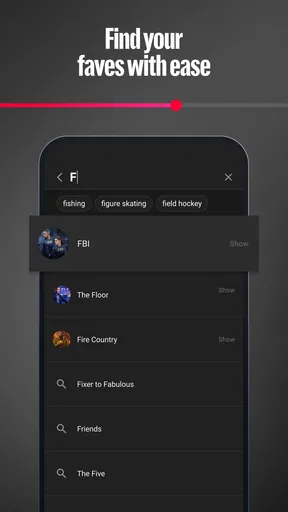
The app's design is straightforward with a modern touch, reminiscent of the classic YouTube layout we all know and love. It’s like meeting an old friend but with a fresh haircut. The navigation is simple, and finding your favorite channels is as easy as pie.
Channel Variety and Streaming Quality
Now, onto the meat and potatoes of any TV streaming service: channel selection. YouTube TV offers a wide variety of channels to choose from. Whether you're into sports, news, or the latest binge-worthy shows, there’s something for everyone. I was particularly impressed by the inclusion of major networks such as ABC, CBS, FOX, and NBC. Sports enthusiasts will rejoice at the availability of ESPN and regional sports networks.
Streaming quality is top-notch. I tested the app on different networks, from high-speed Wi-Fi to mobile data, and the performance remained consistently smooth. The video quality automatically adjusts to your connection speed, ensuring minimal buffering.
DVR Capabilities and User Experience
One of the standout features of YouTube TV is its unlimited DVR storage. Yes, you heard that right—unlimited. You can record as many shows as you like and store them for up to nine months. This feature is a game-changer for those who don’t want to miss their favorite shows.
Using the DVR feels natural. You can easily set recordings with a single tap, and the app will notify you when your recorded shows are ready to watch. The playback experience is seamless, allowing you to fast-forward through commercials or replay your favorite moments.
Multi-Device Support and Family Sharing
Another aspect worth highlighting is the app's multi-device support. You can watch your favorite shows on your phone, tablet, or smart TV without a hitch. Switching between devices is smooth, and the app remembers where you left off, so you can easily pick up your binge-watching session.
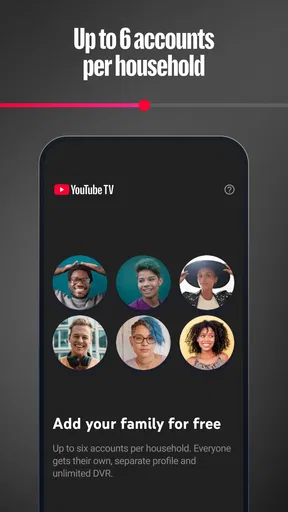
Family sharing is another feather in YouTube TV’s cap. You can share your subscription with up to five other family members, each with their own personalized account. It’s perfect for families with diverse viewing preferences, ensuring everyone has something to watch.
Final Thoughts
In conclusion, YouTube TV: Live TV & more offers a fantastic alternative to traditional cable television. Its user-friendly interface, extensive channel lineup, and excellent DVR capabilities make it a strong contender in the streaming service arena. Whether you’re a sports fan, a news junkie, or just someone who loves a good TV show, YouTube TV has got you covered.
Give it a whirl, and you might find yourself cutting the cord for good. Happy streaming!
My bottom line
For me, the strongest reason to choose this app is the combination of scheduled live viewing and recordings, not the idea that it replaces every other way of watching television. It makes the most sense when I can name the kinds of live programs I will return to each week and want the flexibility to catch them later. If that describes your routine, it is worth considering. If you mainly browse for a film or series after work and rarely care about broadcast schedules, I would look first at an on-demand service instead.
Before committing, I would make a small checklist: identify the channels that matter, check that they are available where you watch, test playback on your usual device and connection, and review the purchase terms carefully. Those simple checks answer the questions that a broad channel count cannot. YouTube TV is a capable, familiar-feeling route into live television, but whether it is a good fit comes down to your viewing habits and the exact programming you expect it to provide.
Privacy and Permissions
See what permissions an app requests and how it handles your data.
- Identity
- find accounts on the device, add or remove accounts
- Contacts
- find accounts on the device
- Location
- approximate location (network-based), precise location (GPS and network-based)
- Microphone
- record audio
- Wi-Fi connection information
- view Wi-Fi connections
- Other
- view network connections, full network access, change your audio settings, run at startup, draw over other apps, use accounts on the device, prevent device from sleeping, read Google service configuration
Verdict
Strengths of YouTube TV: Live TV & more
- Wide range of channels available.
- User-friendly interface and navigation.
- Cloud DVR with unlimited storage.
- Simultaneous streaming on multiple devices.
- No contracts or hidden fees.
Limitations of YouTube TV: Live TV & more
- Higher cost compared to other services.
- Limited availability outside the U.S.
- Occasional streaming quality issues.
- Some channels missing from lineup.
- Ads on some on-demand content.
Other Releases by Google LLC
View All
Google Calendar
Productivity4.6

Google Messages
Communication4.6

Tools4.0

Google TV
Video Players & Editors3.9
Similar Picks in This Category
View All
Google Play Games
Google LLC3.9

Netflix
Netflix, Inc.4.8

YouTube Kids
Google LLC4.2

Disney+
Disney4.4

Prime Video
Amazon Mobile LLC4.7

Steam
Valve Corporation3.2
Frequently Asked Questions
What channels are available on YouTube TV?
YouTube TV offers a wide range of channels, including major networks like ABC, CBS, NBC, and Fox, as well as popular cable channels like ESPN, AMC, and CNN. The availability of specific channels may vary depending on your location, so it's important to check the channel lineup for your area before subscribing.
Can I record shows on YouTube TV?
Yes, YouTube TV includes a cloud DVR feature with no storage limits, allowing you to record as many shows as you want. Your recordings are stored for up to nine months, and you can stream them on any supported device. This makes it convenient to watch your favorite shows at your own pace.
How many devices can stream YouTube TV simultaneously?
YouTube TV allows streaming on up to three devices simultaneously with a single subscription. This is ideal for households with multiple users who want to watch different shows at the same time. For larger families, YouTube TV also offers an optional 4K Plus add-on that allows unlimited streams at home.
Is there a free trial available for YouTube TV?
Yes, YouTube TV typically offers a free trial period for new subscribers, allowing you to explore its features and channel lineup before committing to a subscription. The length of the free trial can vary, so it's advisable to check the current offer on their website to make the most of this opportunity.
Are there any additional fees for premium channels on YouTube TV?
While YouTube TV comes with a robust lineup of channels, it also offers premium channels like HBO Max, Showtime, and Starz for an additional fee. These can be added to your subscription on an à la carte basis, allowing you to customize your viewing experience according to your preferences.
